Introduction
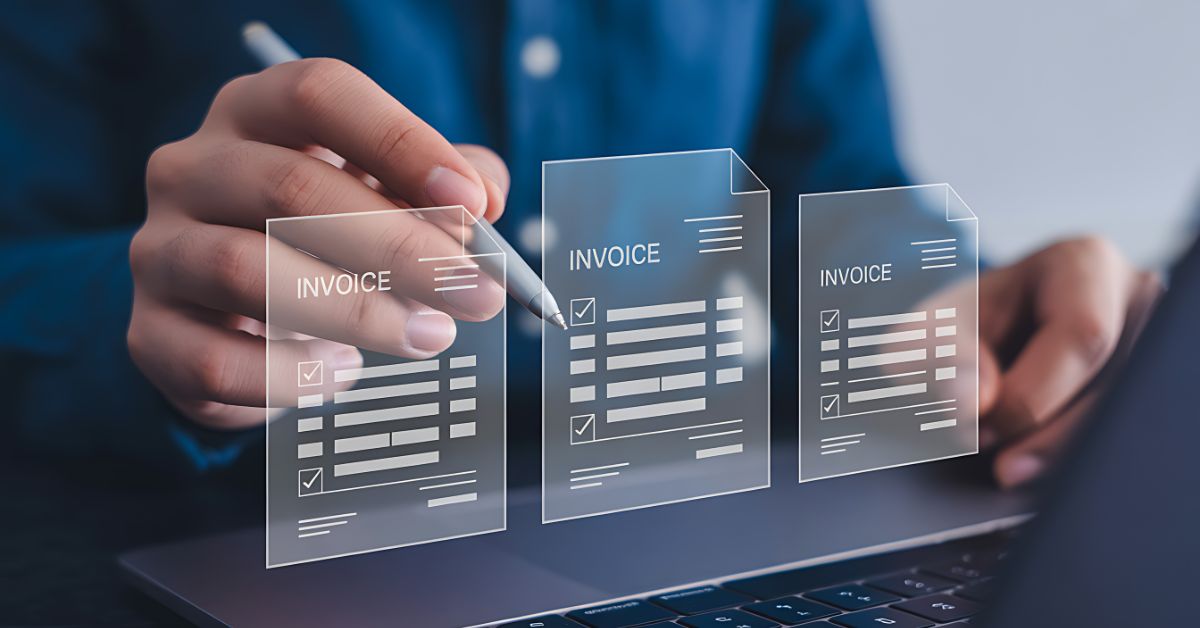
Invoice approval is one of the most critical stages of the accounts payable (AP) process because it determines whether your supplier invoices are validated, approved, and authorized before payment. While you may have already digitized invoice processing with ERP systems and AP automation solutions, approval delays can still impact your cash flow, supplier relationships, and financial visibility.
According to Ardent Partners’ 2025 State of ePayables report, 49% of AP leaders say invoice approvals and payments take too long, highlighting that approval remains one of the biggest bottlenecks in modern AP operations.
The challenge is no longer simply digitizing invoices but ensuring they move through the approval process efficiently. You need to coordinate approvals across multiple stakeholders, manage exceptions, enforce approval policies, and maintain accurate ERP records without creating unnecessary delays. Without a standardized approval workflow, you can struggle to eliminate bottlenecks, maintain compliance, and meet payment SLAs.
This guide explains how modern invoice approval workflows work, why approval bottlenecks persist after AP automation, the key workflow steps, best practices, and the KPIs you should track to continuously improve your approval performance.
TL;DR
- An invoice approval workflow validates, routes, and approves supplier invoices before payment while improving financial control, compliance, and ERP accuracy.
- Approval bottlenecks persist after AP automation due to limited visibility, fragmented approvals, exception handling, and complex enterprise workflows.
- Modern AI-assisted invoice approval workflows automate invoice capture, data extraction, three-way matching, approval routing, ERP synchronization, supplier communication, and reconciliation.
- Approval matrices, routing rules, standardized policies, and SLA-based escalations help reduce approval delays and strengthen governance.
- Track KPIs such as approval cycle time, touchless processing rate, exception rate, SLA compliance, and first-pass approval rate to continuously improve workflow performance.
What is an Invoice Approval Workflow?
An invoice approval workflow is a structured process that validates supplier invoices, routes them to the appropriate stakeholders based on predefined business rules, verifies compliance with procurement and finance policies, and authorizes invoices for payment before they are posted to your ERP system.
Before you optimize your approval workflow, it’s important to understand how it fits into the broader accounts payable process. While invoice approval, invoice processing, and payment processing are closely connected, each serves a distinct purpose in ensuring invoices move accurately from receipt to payment.
Invoice approval workflow vs. invoice processing vs. payment processing
Although these terms are often used interchangeably, they represent different stages of the AP lifecycle.
| Process | Purpose | Outcome |
| Invoice Processing | Captures, extracts, validates, and classifies invoice data | Invoice is ready for review |
| Invoice Approval Workflow | Routes invoices for review, matching, approvals, and exception handling | Invoice is approved for payment |
| Payment Processing | Schedules and executes payments while updating financial records | Supplier receives payment |
Understanding these differences helps you identify where delays occur and where workflow improvements can deliver the greatest impact.
Benefits of invoice approval workflows
A well-designed invoice approval workflow does more than accelerate approvals. It strengthens financial control while giving your finance team greater visibility into every invoice moving through the organization.
Key benefits include:
- Faster approval turnaround and improved payment timelines
- Better visibility into invoice status and approval bottlenecks
- Consistent approval policies across departments and legal entities
- Stronger compliance through standardized approval controls
- Complete invoice audit trails for internal and external audits
- Improved supplier relationships through predictable payment cycles
- Better working capital management with fewer delayed approvals
- Higher touchless invoice processing rates by routing only exceptions for review
Read: Top 12 Invoice Automation Software Solutions in 2026
Why Invoice Approval Workflows Still Break After AP Automation: Challenges

Implementing AP automation or an ERP system does not automatically eliminate approval challenges. While these systems digitize invoice processing and maintain financial records, approval workflows often span multiple stakeholders, departments, and business rules that require greater coordination.
Limited visibility into approval bottlenecks
One of the biggest challenges you face is understanding where invoices are delayed.
Without centralized workflow visibility, it becomes difficult to answer questions such as:
- Which invoices are waiting for approval?
- Which approvers consistently exceed SLA targets?
- Which departments generate the highest number of delayed invoices?
- Which invoices are approaching payment deadlines?
Real-time workflow dashboards help you monitor approval progress, identify bottlenecks early, and prioritize invoices before supplier payments are affected.
2. Disconnected approval decisions across stakeholders
Invoice approvals rarely involve a single individual.
Depending on the invoice type, approvals may require input from:
- Department managers
- Procurement teams
- Budget owners
- Project managers
- Finance controllers
- Regional finance teams
When approvals happen across disconnected systems or inconsistent workflows, invoices can remain pending while stakeholders wait for additional information or supporting documentation. Standardized approval workflows ensure each invoice reaches the right approver at the right time while maintaining complete visibility throughout the approval process.
3. ERP systems don’t fully optimize invoice approvals
Your ERP system is designed to manage financial transactions and maintain accounting records. However, it is not always built to orchestrate complex approval workflows across multiple departments and entities.
Many organizations need capabilities such as:
- Flexible approval matrices
- Intelligent invoice routing
- Automated approval reminders
- Dynamic escalation rules
- Exception management
- Real-time workflow analytics
- Supplier status visibility
Rather than replacing your ERP, modern invoice approval platforms extend its capabilities by managing approvals while synchronizing approved invoices back into your ERP.
4. Exception handling slows invoice approvals
Not every invoice follows the standard approval path.
Common exceptions include:
- Purchase order mismatches
- Pricing discrepancies
- Missing goods receipt confirmations
- Tax calculation differences
- Duplicate invoices
- Missing supporting documents
When exception invoices are not automatically identified and routed, they consume valuable time and delay compliant invoices that could otherwise move forward without interruption.
5. Multi-entity approval bottleneck
If your organization operates across multiple subsidiaries, countries, or business units, approval workflows become significantly more complex.
You may need to manage:
- Different approval hierarchies
- Multiple currencies
- Regional tax regulations
- Entity-specific procurement policies
- Local compliance requirements
Standardizing approval governance while supporting entity-specific rules helps you maintain consistency without sacrificing operational flexibility.
6. Compliance and governance challenges
As approval workflows become more complex, maintaining compliance becomes increasingly important.
Your approval process should consistently enforce:
- Approval authority limits
- Segregation of duties
- Audit trail requirements
- Procurement policies
- Regulatory compliance
- Internal financial controls
Embedding these controls into your workflow helps reduce compliance risk while improving audit readiness.
Read: AP Automation ROI: How to Calculate Real Savings Before You Buy
Invoice Approval Workflow (Step-by-Step)
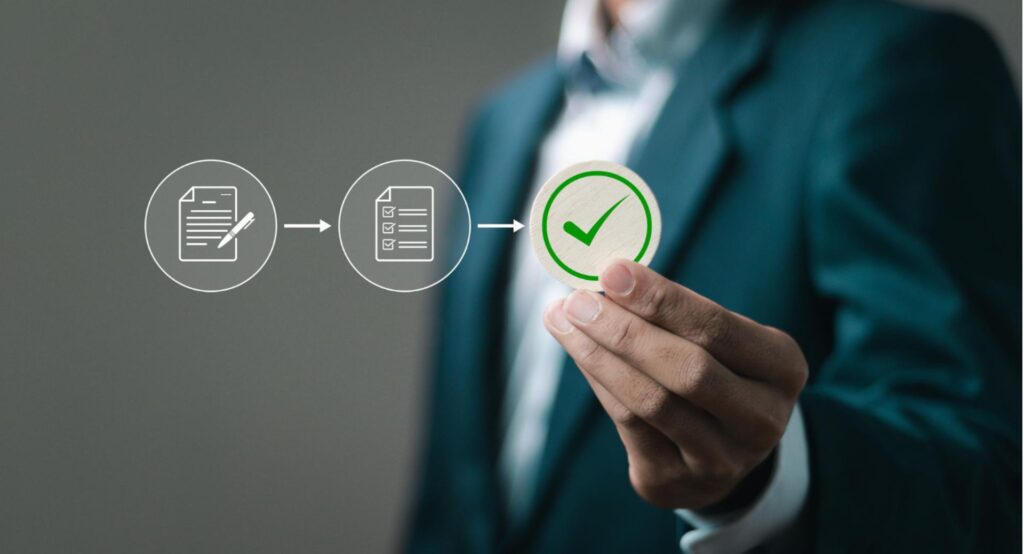
Modern invoice approval workflows have evolved far beyond static approval rules and predefined routing logic. At Serina, AI is integrated into the invoice automation process to orchestrate approvals more efficiently while enhancing existing ERP system workflows, making approvals faster, more accurate, and easier to manage at scale.
The following steps explain how an enterprise invoice approval workflow typically operates.
Step 1: Invoice ingestion and capture
The invoice approval workflow begins when supplier invoices enter your AP system through channels such as email inboxes, EDI, supplier portals, shared folders, scanned documents, and other business applications. Instead of monitoring each source separately, modern invoice automation platforms consolidate invoices into a single workflow, giving your finance team a centralized view of every invoice from the moment it is received.
For example, Serina captures invoices from multiple channels into a unified workspace, allowing your AP team to standardize invoice intake, eliminate duplicate submissions, and maintain complete visibility throughout the invoice lifecycle before approvals begin.
Step 2: AI-powered data extraction and standardization
Once invoices are captured, AI converts unstructured invoice documents into structured financial data that can be validated and processed automatically.
Optical Character Recognition (OCR) extracts key invoice details, including:
- Supplier name
- Invoice number
- Invoice date
- Purchase order number
- Line items
- Tax information
- Invoice totals
- Payment terms
Large Language Models (LLMs) then interpret the extracted data by understanding invoice context, standardizing supplier-specific formats, resolving inconsistencies, and improving data quality before the invoice moves through the approval workflow.
For example, Serina combines OCR with LLMs to accurately extract and standardize invoice information across PDFs, scanned invoices, multilingual documents, email attachments, and other unstructured formats. It can also normalize variations such as different units of measure, supplier naming conventions, and line-item descriptions, helping improve validation and downstream matching accuracy.
Step 3: Three-way matching and invoice validation
After invoice data has been extracted and standardized, it is validated against your procurement and finance records.
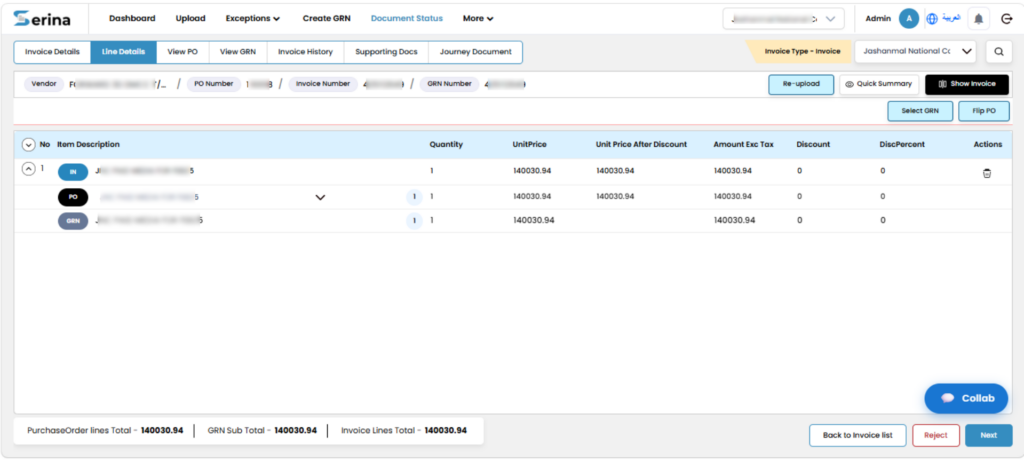
For purchase order invoices, this includes three-way matching, where the system compares the supplier invoice with the purchase order (PO) and goods receipt note (GRN) to verify that quantities, pricing, taxes, and supplier information align with predefined business rules.
Invoices that match within acceptable tolerance limits continue through the approval workflow automatically. When discrepancies such as pricing differences, quantity mismatches, missing goods receipts, or duplicate invoices are identified, they are flagged before they impact downstream approvals.
For example, Serina automatically validates invoices against purchase orders and goods receipts, identifies discrepancies in real time, and ensures only compliant invoices continue through the approval workflow while exceptions are isolated for further review.
Step 4: Quick exception handling and approval routing
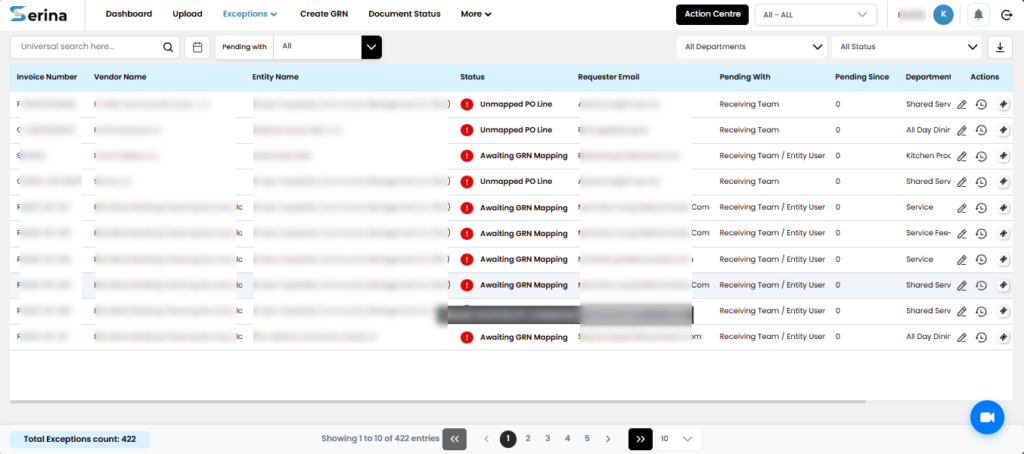
Not every invoice follows the same approval path. Instead of routing every invoice for review, modern workflow platforms first determine whether an invoice meets your organization’s approval and compliance requirements.
Invoices without discrepancies are automatically routed to the appropriate approvers based on business rules such as invoice value, department, cost centre, legal entity, budget ownership, procurement policy, or vendor category. Invoices containing mismatches or missing information are directed to the relevant stakeholders with supporting context already attached, allowing issues to be resolved more efficiently.
For example, Serina uses configurable approval workflows to automatically route compliant invoices to the right approvers while directing exception invoices to finance, procurement, or business teams for resolution. This exception-based approach helps accelerate approvals without compromising governance.
Also Read: Invoice Processing Errors: 15 Common Mistakes and How to Fix Them
Step 5: ERP posting and financial record updates
After an invoice has completed the approval workflow, validated invoice data is synchronized with your ERP to maintain accurate financial records.
This typically includes invoice header information, line-item details, general ledger (GL) coding, cost centre allocations, approval history, and supporting documentation.
For example, Serina automatically posts approved invoices into your ERP along with the associated accounting information and approval records, helping ensure financial data remains consistent across systems while reducing reconciliation effort.
Step 6: Payment preparation
Before payment is released, approved invoices undergo a final validation to ensure they are ready for disbursement.
These checks often include vendor master verification, bank account validation, tax compliance, duplicate payment detection, and payment term confirmation.
For example, Serina performs these validation checks before invoices are scheduled for payment, helping ensure that only compliant and duplicate-free invoices move forward while reducing payment risk.
Step 7: Supplier communication and invoice status tracking
Supplier enquiries about invoice status often consume a significant amount of AP team capacity.
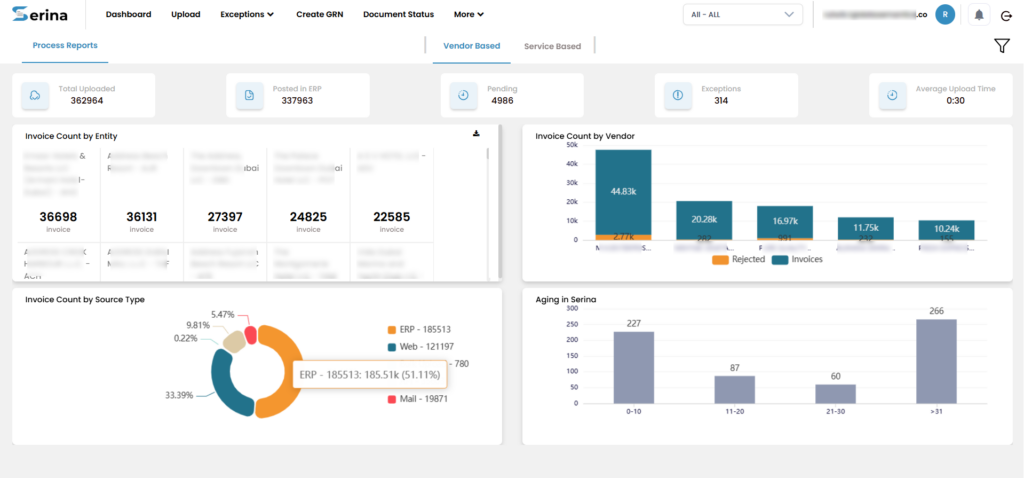
Modern invoice approval workflows improve supplier communication by providing greater visibility into where invoices are within the approval process and whether additional action is required.
For example, Serina provides suppliers with a self-service vendor portal where they can submit invoices, monitor approval status, track payment progress, and receive updates without relying on repeated emails or phone calls. This improves transparency while reducing the administrative burden on your finance team.
Step 8: End-to-end reconciliation
The final stage ensures invoice records, approval history, ERP transactions, and payment information remain fully aligned for accurate financial reporting and month-end close.
Automated reconciliation identifies discrepancies across systems, validates completed transactions, and provides a complete audit trail from invoice receipt through final payment.
For example, Serina continuously reconciles invoice, ERP, and payment records, helping finance teams identify inconsistencies earlier, improve reporting accuracy, and accelerate financial close with greater confidence.
Read: Powerful AI Invoice Processing: The Definitive Guide
How to Set Up an Invoice Approval Workflow
An effective invoice approval workflow is not just about defining who approves an invoice. It requires standardized approval policies, intelligent routing, ERP integration, and continuous performance monitoring to ensure invoices move efficiently while maintaining financial control.
Here’s how you can build a scalable invoice approval workflow for your organization.
Define approval policies
Start by documenting your organization’s invoice approval policies. These policies establish how invoices should be reviewed, validated, and approved before payment.
Your approval policy should define:
- Approval authority by invoice value
- Approval hierarchy across departments
- PO and non-PO invoice requirements
- Required supporting documents
- Approval turnaround times
- Exception handling procedures
Clearly documented policies ensure every invoice follows a consistent approval process regardless of business unit or legal entity.
Build an invoice approval matrix
Once approval policies are established, create an invoice approval matrix that defines who approves each invoice based on predefined business rules.
A typical approval matrix considers:
| Approval Criteria | Example |
| Invoice amount | Below $5,000 approved by department manager |
| Department | Marketing invoices routed to Marketing Director |
| Cost centre | Finance reviews invoices against assigned budgets |
| Business unit | Regional approvals based on entity |
| Vendor category | Strategic suppliers require additional approval |
| PO vs Non-PO | Different approval paths for each invoice type |
A standardized approval matrix eliminates uncertainty and ensures invoices always reach the appropriate approvers.
Configure invoice routing rules
After defining the approval matrix, configure automated routing rules that determine how invoices move through the workflow.
Routing rules may include:
- Sequential or parallel approvals
- Invoice amount thresholds
- Department-based routing
- Cost centre ownership
- Vendor category
- Project ownership
- Legal entity
- Regional finance teams
Intelligent routing reduces approval delays while ensuring invoices follow the correct approval path without unnecessary intervention.
Establish approval thresholds
Approval thresholds determine when additional approvals are required.
For example:
- Low-value invoices may require one approval.
- High-value invoices may require multiple approvers.
- Capital expenditure invoices may require executive approval.
- Strategic supplier invoices may require procurement and finance approval.
Clearly defined thresholds improve governance while reducing unnecessary approval layers.
Configure approval SLA and escalation rules
Even well-designed approval workflows can slow down if invoices remain pending.
Configure approval Service Level Agreements (SLAs) that specify how long approvers have to review invoices.
If an SLA is exceeded, escalation rules should automatically notify backup approvers or managers, ensuring invoices continue moving without manual follow-up.
Reducing approval delays helps lower the 170–200 hours typically required to process 1,000 invoices, improving payment cycle times and overall AP efficiency.
Integrate with your ERP
Your invoice approval workflow should complement your existing ERP rather than replace it.
Integrating with ERP platforms such as SAP, Oracle, Microsoft Dynamics, or NetSuite allows approved invoices, accounting data, approval history, and supporting documents to synchronize automatically.
This reduces duplicate work, improves financial accuracy, and provides a single source of truth across finance operations.
Measure workflow performance
An invoice approval workflow should continue evolving as your business grows.
Regularly review workflow analytics to identify:
- Approval bottlenecks
- Frequently occurring exceptions
- Delayed approvers
- Entity-specific inefficiencies
- Approval SLA performance
- Touchless processing opportunities
Continuous optimization helps improve approval efficiency while strengthening compliance over time.
Read: AP Automation for Manufacturing: Choose a Solution That Scales & Reduces Bottlenecks
Best Practices for an Efficient Invoice Approval Workflow
Implementing an invoice approval workflow is only the first step. To maximize efficiency, you need to continuously refine approval policies, reduce bottlenecks, and increase automation while maintaining governance.
1. Standardize approval governance
Create standardized approval policies and an enterprise-wide invoice approval matrix that clearly defines approval authority across departments, entities, invoice values, and procurement scenarios. Consistent governance reduces approval ambiguity and supports stronger compliance.
2. Minimize approval bottlenecks
Use intelligent approval routing to automatically send invoices to the right approvers based on predefined business rules. Configure backup approvers and escalation rules to prevent invoices from stalling when stakeholders are unavailable.
3. Automate exception routing
Not every invoice requires the same level of review. Automatically identify invoices with pricing discrepancies, duplicate records, missing documentation, or matching failures, and route only those exceptions to the appropriate stakeholders while compliant invoices continue through the workflow.
4. Design separate workflows for PO and non-PO invoices
PO and non-PO invoices require different validation and approval processes.
Purchase order invoices typically rely on three-way matching before approval, while non-PO invoices often require additional budget validation, supporting documentation, and business justification.
Maintaining separate workflows improves efficiency while ensuring each invoice follows the appropriate approval path.
5. Maintain complete invoice audit trails
Every approval action, rejection, delegation, comment, and timestamp should be automatically recorded throughout the workflow.
A comprehensive invoice audit trail simplifies audits, strengthens financial governance, and improves accountability across the organization.
6. Enforce segregation of duties
Separate procurement, approval, accounting, and payment responsibilities to reduce financial risk.
Enforcing segregation of duties (SoD) ensures no individual can independently create, approve, and authorize the same financial transaction.
7. Increase touchless invoice processing
Focus on increasing the percentage of invoices that move through validation, matching, approval, and ERP posting without requiring additional intervention.
Combining AI-powered invoice capture, three-way matching, approval routing, and automated validations allows finance teams to focus primarily on exception invoices.
8. Improve supplier communication
Provide suppliers with visibility into invoice receipt, approval status, and payment progress through self-service portals or automated status notifications.
Reducing routine invoice status enquiries improves supplier relationships while allowing your AP team to focus on higher-value activities.
9. Optimize workflows with analytics
Use workflow analytics to continuously monitor approval cycle times, bottlenecks, exception trends, SLA performance, and touchless processing rates.
These insights help you refine approval rules, improve operational efficiency, and support better working capital decisions.
Key KPIs to Track Invoice Approval Performance
An optimized invoice approval workflow requires continuous monitoring. Tracking the right KPIs helps you identify approval delays, measure automation success, and uncover opportunities to improve efficiency and compliance.
| KPI | What it Measures | Why it Matters |
| Approval Cycle Time | Average time taken from invoice receipt to final approval | Indicates how efficiently invoices move through the approval workflow. |
| Touchless Processing Rate | Percentage of invoices processed without human intervention | Measures the effectiveness of AI-driven automation and workflow efficiency. |
| Exception Rate | Percentage of invoices requiring additional review or investigation | Highlights issues with invoice quality, matching accuracy, or supplier compliance. |
| Approval SLA Compliance | Percentage of invoices approved within defined SLA targets | Helps monitor approval performance and prevent payment delays. |
| Cost per Invoice | Average operational cost to process an invoice | Evaluates workflow efficiency and helps quantify AP automation ROI. |
| First-Pass Approval Rate | Percentage of invoices approved without rework or resubmission | Reflects the accuracy of invoice validation, routing, and approval processes. |
Regularly monitoring these KPIs helps you optimize approval workflows, improve financial visibility, strengthen compliance, and support continuous process improvement.
If you want to know more about KPIs, read this blog the top accounts payable KPIs to track in 2026.
Conclusion
An effective invoice approval workflow is no longer just about routing invoices for sign-off. It is about orchestrating the entire approval lifecycle through intelligent validation, approval routing, exception management, ERP synchronization, supplier communication, and real-time visibility.
By combining AI-powered automation with standardized approval policies, approval matrices, intelligent routing rules, and continuous performance monitoring, you can reduce approval delays, improve compliance, strengthen financial governance, and increase touchless invoice processing without replacing your existing ERP.
If you’re looking to modernize your invoice approval process, an AI-powered platform like Serina can help you streamline approvals from invoice receipt to reconciliation while giving your finance team complete visibility and control across the entire AP workflow.
Ready to modernize your invoice approval workflow?
Book a demo and see how Serina helps you automate approvals with AI.
FAQs
- How do you create an invoice approval matrix?
An invoice approval matrix defines who approves invoices based on business rules such as invoice amount, department, cost centre, legal entity, vendor category, or procurement type. Start by documenting your approval policies, identifying approval thresholds, and mapping each scenario to the appropriate approver. Once defined, configure these rules within your invoice approval workflow so invoices are automatically routed to the right stakeholders.
2. What is three-way matching in invoice approval?
Three-way matching is the process of validating a supplier invoice against the corresponding Purchase Order (PO) and Goods Receipt Note (GRN) before approval. This helps verify that quantities, pricing, and goods received match what was originally ordered, reducing payment errors and strengthening financial controls.
3. What is touchless invoice processing?
Touchless invoice processing refers to invoices moving through capture, data extraction, validation, approval, ERP posting, and payment preparation without requiring human intervention. AI-powered invoice automation makes this possible by automatically extracting invoice data, performing validations, routing approvals, and managing compliant invoices while directing only exceptions for review.